Wordpress
Step 1
Download plugin
Step 2
Upload the plugin zip to the server and extract it to the project root directory
Step 3
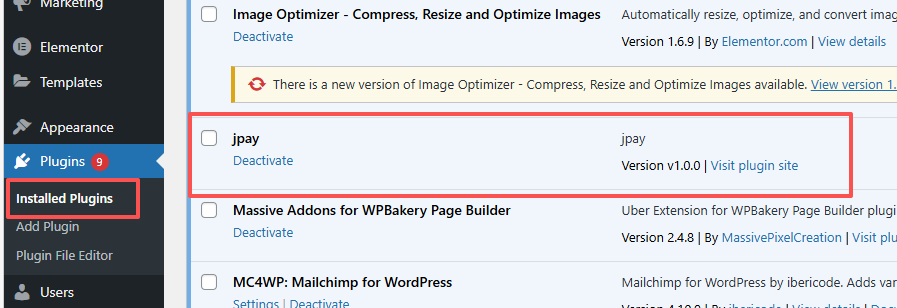
In the WordPress backend, under [Plugins => Installed Plugins], find the jpay plugin and click the [Activate] button
Step 4
In the WordPress backend, under [WooCommerce => Settings => Payments], Find the jpay plugin and modify the configuration as needed
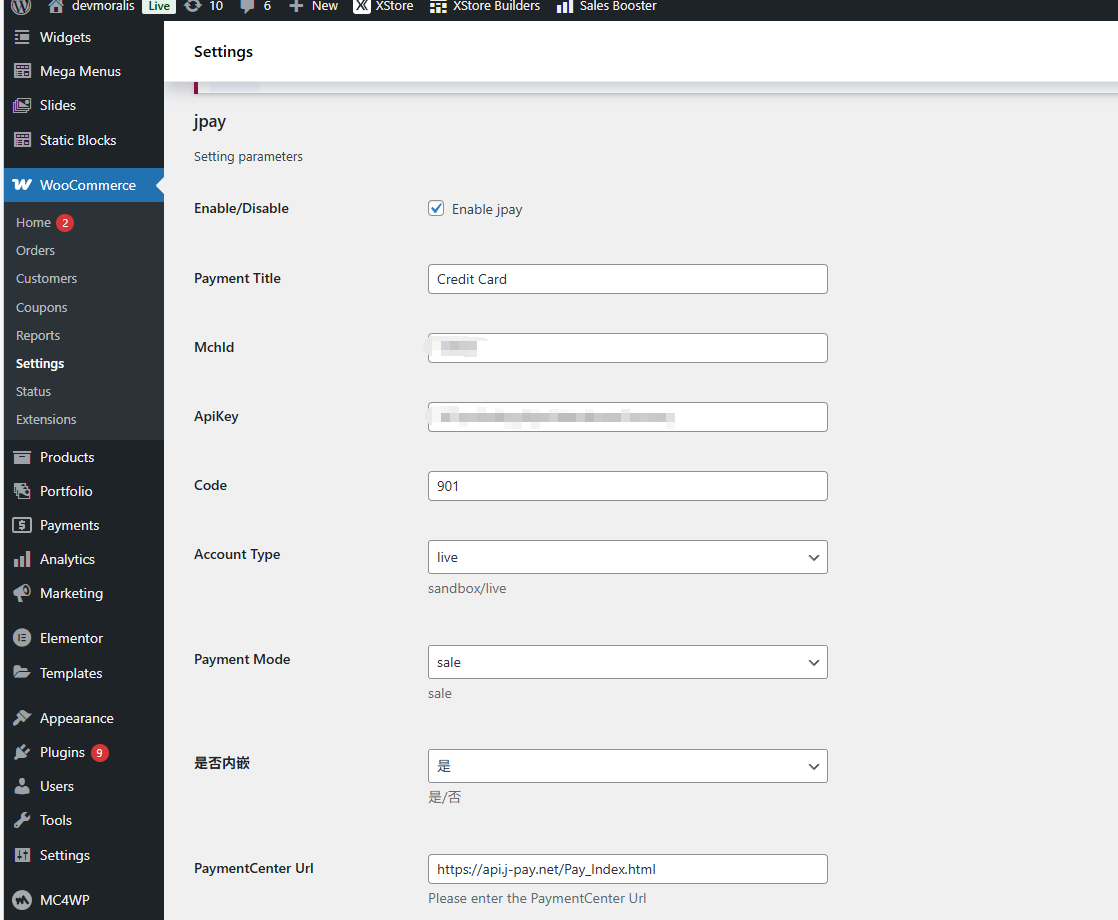
PaymentCenter Url: https://sandbox.j-pay.net/pay_index
Settings
| Parameter Name | Type | Parameter Description |
|---|---|---|
| Payment Title | String | Payment title |
| MchId | String | The platform assigns merchant ID |
| ApiKey | String | Obtain it from the merchant site |
| Code | String | Bank code |